
Webflow
The CMS we build most of our websites with. Fast, findable and managed by the client, without plugins that break.
Part of our stack. We choose the right tools for each project, not the other way around.
Webflow is the platform we build most of our websites on, since 2019 and as a Premium Partner. It delivers clean code, fast pages and a visual CMS that a marketing team can run on its own. No plugins that need updating, no server someone has to maintain, no theme getting in your way.
What Webflow is
A design and build environment in the browser, a CMS for content that changes, and hosting on a global network with SSL, CDN and backups. Design happens visually, but what comes out is plain HTML, CSS and JavaScript. That makes a Webflow site as fast and as findable as a hand-built site, without the cost.
What we use it for
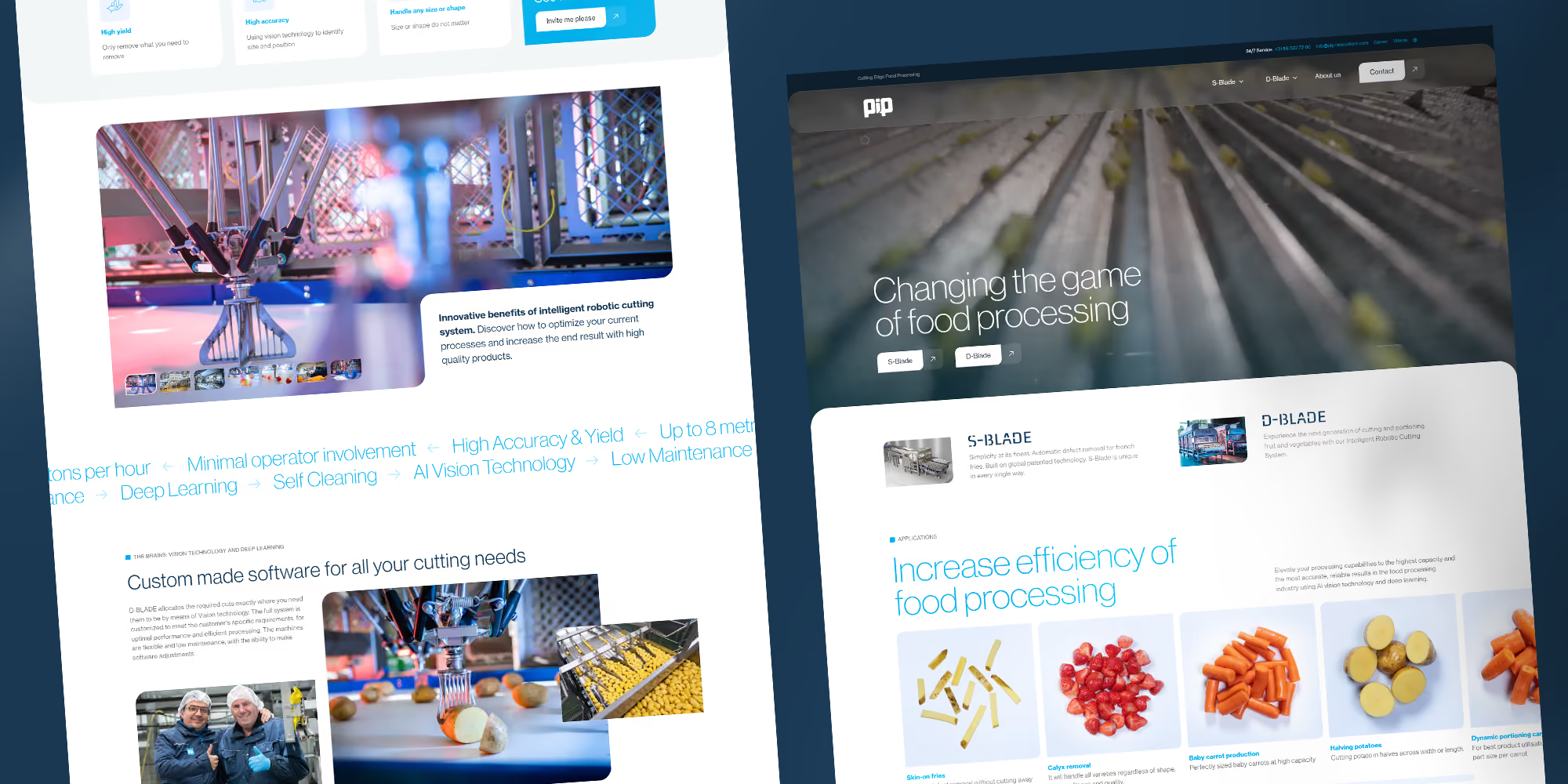
Corporate websites, marketing websites and landing pages, multilingual sites and the front end of portals. Anything that is publicly visible and where content changes regularly. Small online shops through Webflow Ecommerce.
How it fits our stack
Webflow is the shop window, not the factory. As soon as a project needs logins, permissions or business logic, we add Wized for the logic and Xano for the database. Heavy applications we build in Next.js alongside the site. We handle animation with GSAP instead of the built-in interactions, and filters with Finsweet Attributes. Through the Data API we connect the CMS to Airtable, ERP systems and custom tools.
When not to use it
A large online shop with inventory management: Shopify. An application with a lot of data per screen: Next.js. A site that must run on your own servers: then Webflow is not the right choice. We tell you that up front.
What it means for you
After delivery you edit text, images and pages yourself. You create new pages from a template. For new sections, integrations or a rebuild, we are here. As a Premium Partner we have direct contact with Webflow when issues arise.
The design system in Figma maps one-to-one with the classes and components we build in Webflow.
How can we help?
Cases where we use these tools

Projects in this sector


.avif)










Frequently asked questions
Wat kost Webflow?
De hosting van Webflow begint rond de twintig euro per maand voor een site met CMS. Meertaligheid, e-commerce of veel verkeer kosten meer. De bouw van de site is een aparte vaste prijs.
Is Webflow goed voor SEO?
Ja. Schone code, snelle pagina's, volledige controle over metadata, sitemap, redirects en schema. Voor Immerse Education migreerden we duizenden pagina's zonder verlies van posities.
Kan ik zelf onderhoud doen aan een Webflow-site?
Content wel: teksten, beelden en nieuwe pagina's op basis van een sjabloon pas je zelf aan in Webflow. Structuur en stijl laat je bij voorkeur bij ons of bij iemand die Webflow kent, zodat het ontwerpsysteem heel blijft.
Wat als Webflow ophoudt te bestaan?
Webflow laat je de code van de site en de CMS-content exporteren. De site draait dan ergens anders verder, zonder het CMS van Webflow. Je ontwerp en je content ben je dus niet kwijt.
Webflow of WordPress?
Webflow als je snelheid en eigen beheer wilt zonder onderhoud: geen plugins, geen updates, geen server. WordPress past als je afhankelijk bent van een specifieke plugin zonder alternatief, of per se op eigen hosting wilt draaien. Zie ook WordPress.