Multilingual websites and localization
One site in multiple languages, with the correct language tagging for search engines and a language switcher that visitors actually understand. Without the need to maintain a separate site for every language.
You have two sites that have drifted apart because no one is keeping both up to date, and the English version says something about your company that was true three years ago.
Does this sound familiar?
Tell me what isn't working or what's taking up too much of your time, and I'll let you know what I would do and roughly what it would cost. You'll be speaking directly to me, not an account manager.

A multilingual website is a single site that exists in multiple languages, with unique URLs, metadata, and a language switcher for each language that directs users to the corresponding page. We build this using Webflow Localization or a translation layer like Linguana: one CMS, one design, multiple languages, without needing a separate site for every market.
When you need this
You sell in multiple countries or to non-native speaking customers in the Netherlands. You currently have two sites that have drifted apart because no one is keeping them both updated. You want to be found on Google Germany, not just Google Netherlands. Or perhaps you have an English site with a Dutch translation that is three years out of date.
What it involves
It’s more than just translation. It requires a URL structure for each language, such as /nl/ and /en/ or separate domains. Hreflang tags ensure Google shows the right language to the right visitor. It includes metadata, alt text, and forms for each language, as well as dates, currencies, and phone numbers tailored to each market. It means a language switcher that lands on the translated page, not the homepage, and content that can vary by market, such as different case studies or contact details.
Our approach
We set up the structure in Webflow Localization, configure the hreflang tags, and build the language switcher. You, a translator, or AI with human oversight handle the translations; we ensure everything is placed correctly. For content-heavy sites, we integrate a translation workflow so that new pages are automatically ready for translation.
Costs and timeline
Costs consist of three parts. The setup: structure, hreflang, and language switcher, at a fixed price. The translation work itself, handled by you, a translator, or AI with review. And the monthly surcharge for Webflow Localization or the Linguana subscription, depending on the number of languages.
Who this is not for
If you only need a single page in a second language, a separate page is sufficient. And if your offerings differ so significantly by country that almost nothing overlaps, two separate sites are sometimes a more honest approach.
Where we’ve done it
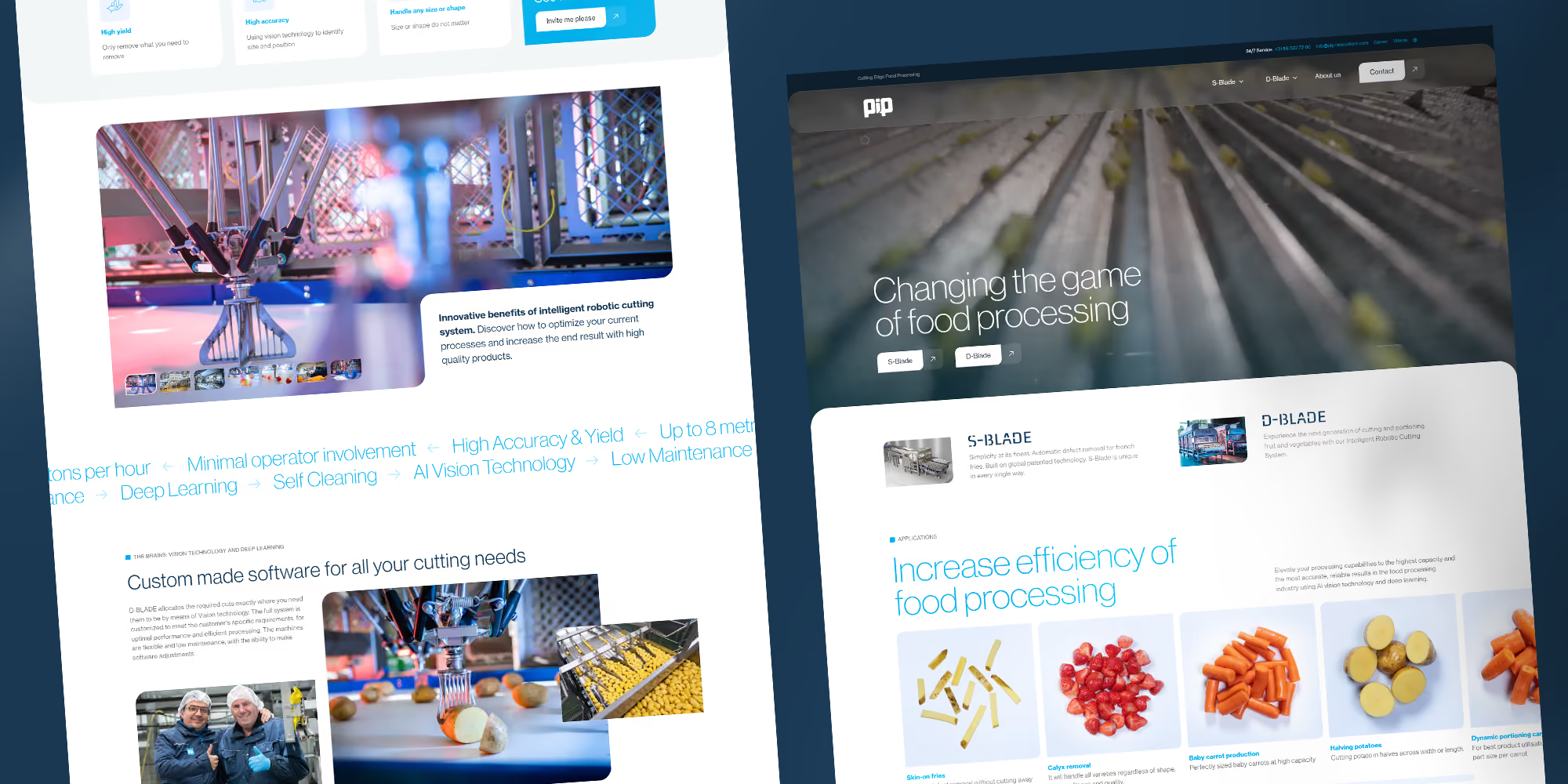
The site for PIP Innovations runs in multiple languages via Linguana, with unique URLs and metadata for each language. This makes the company discoverable outside the Netherlands without the team having to maintain a separate site for every market.
Read more
The platform: Webflow development. Multilingual product data: PIM.
How can we help?
Cases
Projects


.avif)
Get more out of your website
DeDigitaal Clients
























Questions about
Multilingual website
How much does a multilingual website cost?
Webflow charges an additional hosting fee per extra language. With a translation layer like Linguana, you pay a subscription. Building a multilingual website costs more because of the structure and hreflang, not because of the translation itself.
Can we make an existing Webflow site multilingual?
Yes. Localization can be enabled afterwards. We do check first whether the structure can handle it.
Who translates the multilingual website?
You, a translation agency, or AI with review. We put it in the right place and make sure the technical side is correct.
What if some pages only exist in one language?
That is possible. Those pages get no language switcher and no hreflang pointing to a translation that does not exist.