Workflow automation
Recurring steps that run on autopilot. A request comes in, gets processed, forwarded, and confirmed, without anyone having to lift a finger.
Someone in the office does the same thing every day: forwarding emails, copying data, sending confirmations. No one even questions why a human is doing it anymore.
Does this sound familiar?
Tell me what isn't working or what's taking up too much of your time, and I'll let you know what I would do and roughly what it would cost. You'll be speaking directly to me, not an account manager.

Workflow automation chains recurring steps together so they run automatically. A request comes in, is processed, forwarded to the right system, confirmed to the customer, and scheduled for the colleague who needs to handle it. All without anyone having to retype, forward, or double-check anything. We build these scenarios using Make, Zapier, or custom logic, and ensure you get notified if anything goes wrong.
When you need this
Someone in the office does the same thing every day: forwarding emails, copying data, sending confirmations, updating lists. Leads sit idle until someone checks the inbox. A new customer has to be created in four different systems. Every month, a report is sent out that is compiled manually. Each of these is a workflow that hasn't been automated yet.
Examples
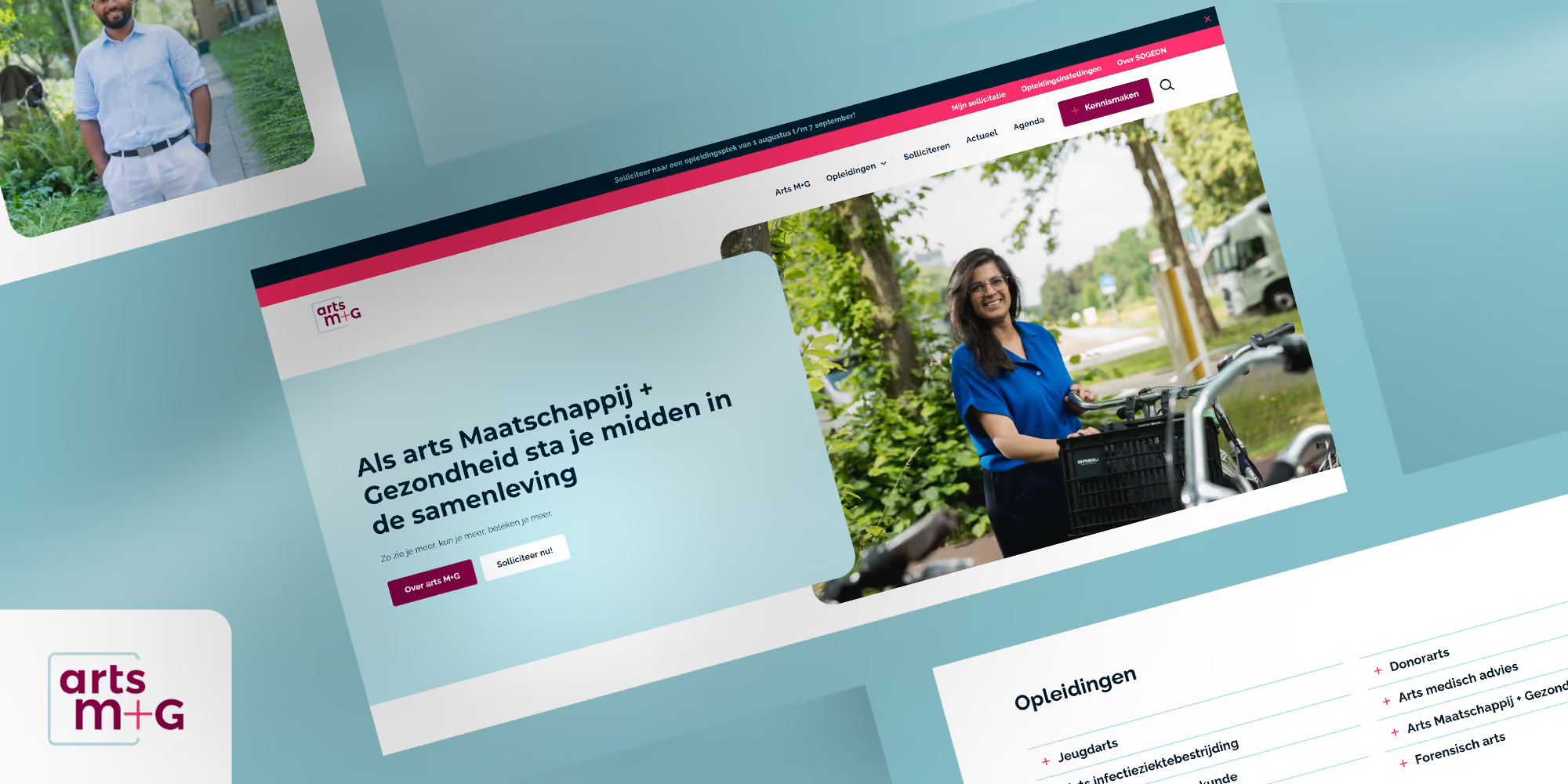
A form on the site that creates a contact in HubSpot, schedules a task for sales, sends a confirmation via Resend and posts a message in Slack. An order that goes into the accounting system and sends the customer an update. A new blog post in Webflow that automatically appears on LinkedIn. An event registration that triggers a confirmation, a calendar invite, and a reminder. We built the latter for Arts M+G.
What we use
Make for most scenarios: visual, scalable, and affordable. Zapier for simple integrations with tools that Make doesn't support. Xano when the logic becomes more complex, involving custom databases, queues, and scheduling. Custom code on Vercel when it truly requires a custom solution. We choose based on the scenario.
Our approach
We map out the flow: what triggers it, what needs to happen, what if something is missing, and who gets notified in case of an error. Then, we build and test using real data. Every automation includes logging and human-readable error alerts, because a workflow that fails silently is worse than no workflow at all. Finally, we document the scenario so you understand it and can make adjustments yourself.
Costs and timelines
That depends on the number of steps, the number of systems, and the number of exceptions. It’s the exceptions that define the workload: what if a field is empty, what if the customer already exists? Every scenario has a fixed upfront price. In addition, you pay for the platform. Make charges based on the number of operations, which for most companies amounts to a few dozen euros per month.
Who it's not for
You cannot automate a process that runs differently every time. Standardize it first, then automate it. And work that only happens a few times a year remains cheaper to do by hand. Automation pays off for tasks that recur daily or weekly and follow the same steps every time.
Read more
Keeping two systems in sync: system integrations. Documents that format themselves: document generation. Recurring content: content generation. Describe one task in your email that someone on your team does manually every week. That’s where we’ll start.
How can we help?
Cases
Projects

.avif)

Get more out of your website
DeDigitaal Clients
























Questions about
Workflow automation
Wat kost workflow-automatisering?
Een eenvoudig scenario in Make is in een dag klaar. Een keten over meerdere systemen met voorwaarden is een project van een tot drie weken. Daarnaast de maandkosten van Make of Zapier, meestal tientallen euro's.
Wat als een van de gekoppelde systemen verandert?
Dan passen we het scenario aan. Binnen onderhoud controleren we workflows periodiek, zodat een wijziging in een gekoppeld systeem niet ongemerkt iets stillegt.
Kunnen we een workflow zelf aanpassen?
Make is visueel en na een uitleg goed te volgen. Kleine aanpassingen doe je zelf, grote laat je ons doen.
Is workflow-automatisering veilig?
API-sleutels staan versleuteld in het platform. Data gaat over versleutelde verbindingen. We verwerken alleen wat het scenario nodig heeft.
Wat is het verschil tussen workflow-automatisering en een systeemkoppeling?
Een koppeling houdt data gelijk tussen twee systemen. Een workflow zet stappen achter elkaar met logica ertussen. Vaak zit het allebei in één oplossing.