HubSpot migration
From HubSpot CMS to Webflow, without losing your search rankings or your CRM. Content migrated, redirects handled, and forms still arriving in HubSpot.
You end up paying for a Marketing Hub package primarily to host a site, and you still need a developer for any deviation from the theme.
Does this sound familiar?
Tell me what isn't working or what's taking up too much of your time, and I'll let you know what I would do and roughly what it would cost. You'll be speaking directly to me, not an account manager.

A HubSpot migration means moving your website from HubSpot CMS to Webflow, while continuing to use HubSpot for what it does best: your CRM, email, and lead nurturing. You gain design freedom and a lower monthly bill, without your marketing team losing the tools they rely on.
When you need this
You're on an expensive HubSpot plan primarily for the website, even though you barely use the CMS features. Every deviation from the theme requires a developer. Your design is limited to what the modules allow. You want a platform where your marketing team can build pages themselves that look consistent with the rest of the site. Or, you're paying for a Marketing Hub tier just to host your site.
What stays and what goes
Moving to Webflow: your pages, blog, landing pages, images, documents, metadata, and URL structure. Staying in HubSpot: your contacts, deals, workflows, email, and reporting. The forms are the most critical part. They remain HubSpot forms, embedded or called via API from your Webflow pages, ensuring every submission lands in your CRM and your existing workflows keep running. You maintain tracking and visitor contact history using the HubSpot tracking code.
Why this goes wrong without a plan
HubSpot CMS handles URLs in its own way, especially for blogs and landing pages. These change during a migration. If an old URL leads nowhere, Google sees a dead page and your ranking drops. The same applies to links in your old newsletters and ads, which continue to be clicked for years. Lost rankings after a move are almost always due to missing redirects, not the new platform.
Our approach
First, the inventory: all URLs, which ones drive traffic, their current rankings, and where every form is located. Then, the new structure in the Webflow CMS, kept as flat as possible. Next, the redirect list: every old URL gets a 301, or a 410 if the page is intentionally removed. We import content via the API rather than manually. We reconnect the forms and tracking to HubSpot and test with real submissions, including the associated workflows. We test on staging, go live, and monitor Search Console and your CRM in the weeks that follow: ensuring leads are still coming in and landing in the right place.
Costs and timeline
A small site can be moved in two to three weeks. For hundreds of pages, a blog with years of history, and many forms, it can take months, primarily due to the preparation phase. The price is fixed and based on the inventory, as that is the only way to determine the number of content types and URLs. Afterward, your HubSpot CMS subscription ends and you pay for Webflow hosting, starting at around twenty euros per month for a CMS site. What you pay HubSpot for CRM and marketing remains unchanged.
When not to do it
If you use HubSpot features deeply integrated into your pages, such as extensive personalized content or smart content based on contact lists, these cannot be replicated easily. It is possible, but first consider if it's worth the move. And if your entire marketing and sales organization is built around a HubSpot workflow that everyone is happy with, a migration might be solving a problem you don't have.
Where we've done it
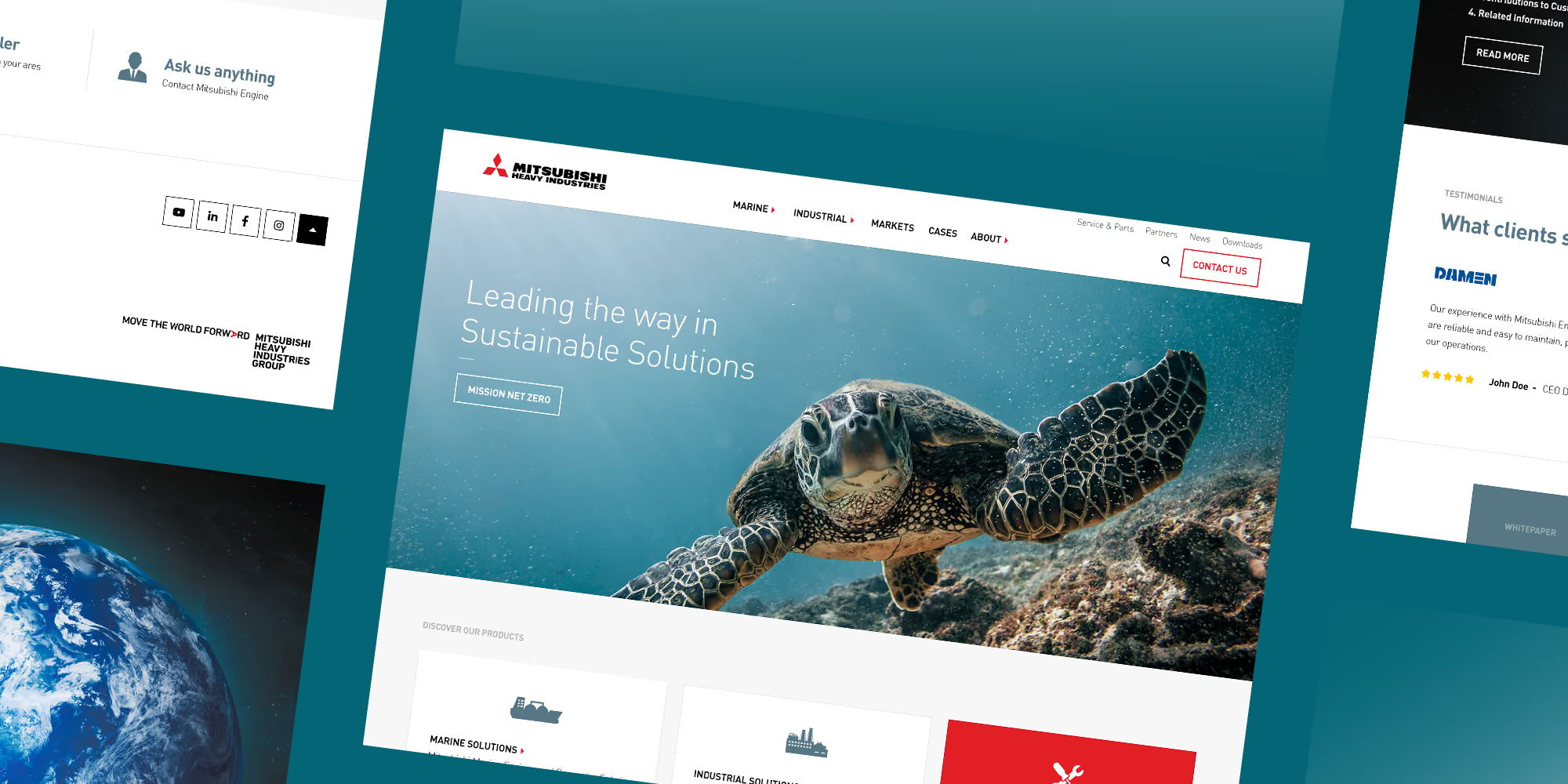
The site of Mitsubishi Turbochargers & Engines Europe was on HubSpot and has moved to Webflow. Product data is now pulled from a dedicated source and synced to the site via API, something that wasn't possible in the old CMS.
Read more
Is your site coming from WordPress: WordPress migration. Maintaining rankings: SEO. Connecting forms and CRM: system integrations. The platform: Webflow development. Include your URL when you get in touch, and we'll first assess the actual scale of the migration.
How can we help?
Cases
%20(Aangepast).avif)
.avif)

Get more out of your website
DeDigitaal Clients


























Questions about
HubSpot migration
Raak ik mijn HubSpot CRM kwijt als ik de website naar Webflow verhuis?
Nee. Bij een migratie verhuist alleen je website van HubSpot CMS naar Webflow. Je contacten, deals, workflows, mail en rapportage blijven gewoon in HubSpot staan. De formulieren op je nieuwe site blijven HubSpot-formulieren, ingebed of via de API aangeroepen, zodat elke inzending in je CRM landt en je bestaande workflows blijven werken. Ook de tracking van bezoekers per contact houd je.
Wordt het goedkoper als ik van HubSpot CMS naar Webflow ga?
Het HubSpot CMS-abonnement vervalt, of je kunt terug naar een lager pakket als je de website-functionaliteit alleen daarvoor nodig had. Daarvoor in de plaats komt de hosting van Webflow, die begint rond de twintig euro per maand voor een site met CMS. Wat je aan HubSpot betaalt voor CRM, sales en marketing verandert niet. Of het onder de streep goedkoper wordt, hangt dus af van welk HubSpot-niveau je nu afneemt en waarom.
Verlies ik zoekposities bij een migratie van HubSpot naar Webflow?
Alleen als de redirects niet op orde zijn. HubSpot CMS gebruikt een eigen manier om URL's op te bouwen, zeker bij blogartikelen en landingspagina's, dus die veranderen bij een overstap bijna altijd. Krijgt elke oude URL een 301 naar de juiste nieuwe pagina, dan blijft je verkeer behouden. Daarom begint elke migratie bij ons met een inventaris van alle URL's en een volledige redirectlijst, voordat er iets live gaat.
Hoe lang duurt een HubSpot-migratie?
Een kleine site verhuist in twee tot drie weken. Bij honderden pagina's, een blog met jaren historie en veel formulieren loopt dat op naar maanden. Het meeste werk zit in de voorbereiding: de inventaris van URL's, de nieuwe structuur en de redirectlijst. De prijs is vast en volgt uit die inventaris, omdat pas dan duidelijk is hoeveel soorten content en hoeveel pagina's er zijn.
Welke content gaat mee bij een migratie van HubSpot naar Webflow?
Pagina's, blogartikelen, landingspagina's, beelden en documenten, metadata en waar mogelijk de URL-structuur. Content halen we via de API binnen in plaats van met de hand over te typen. Wat niet zomaar meegaat zijn HubSpot-functies die diep in de pagina zitten, zoals gepersonaliseerde of smart content per contactlijst. Dat is na te bouwen, maar bekijk eerst of het de moeite waard is.