Webflow vs WordPress security: which platform is safer?
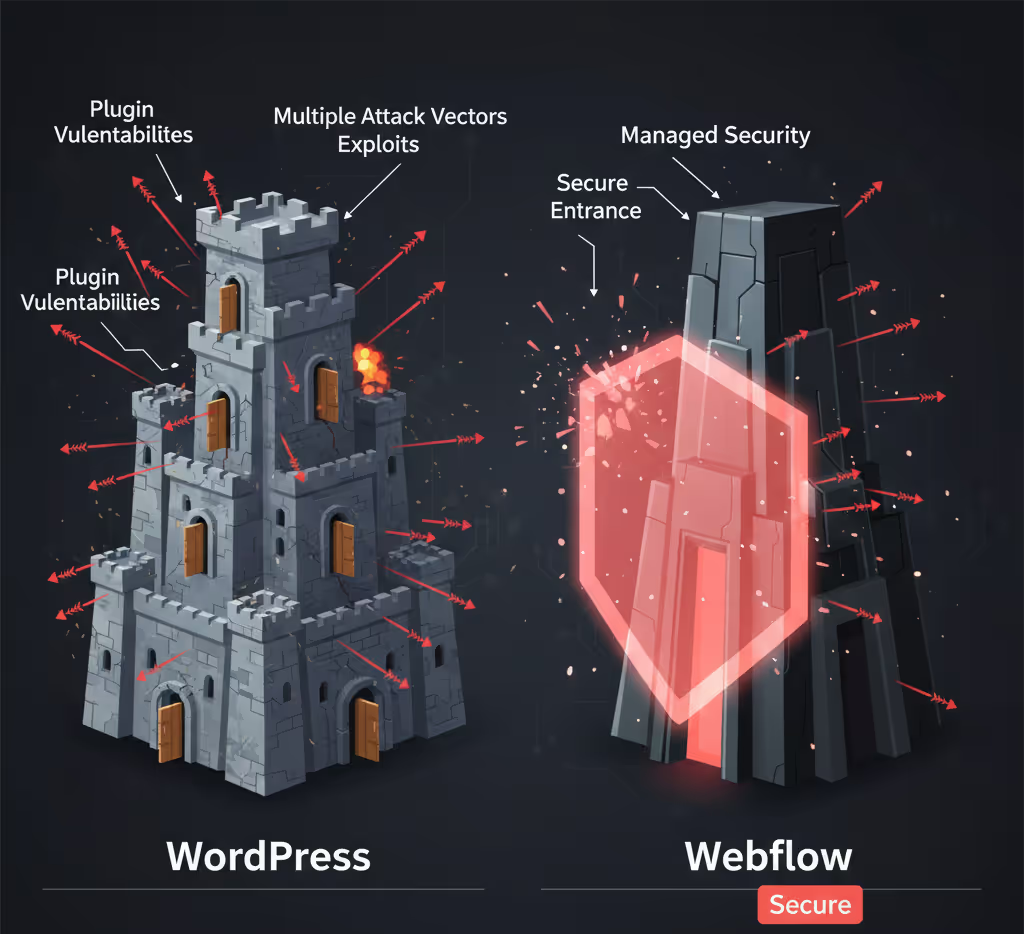
Anyone having a new website built or replacing an existing site is often asked the same question: Webflow or WordPress? When it comes to security, the two differ fundamentally. Not because one platform is good and the other bad, but because the responsibility is divided differently. In this article we compare Webflow vs WordPress on security: where the risks are, what you have to arrange yourself and when each choice fits.
Webflow vs WordPress security: what is the difference?
The main difference is who manages the technology. WordPress is open source software that you install yourself on hosting of your choice, extend with plugins and maintain yourself. Webflow is a managed platform: hosting, server software, updates and certificates are handled centrally. You manage the content and the code you add yourself.
That difference determines how many components can go wrong and whose job it is to keep them up to date. Security is therefore less a property of the platform than of the way it is managed.
Where are the security risks with WordPress?
Mainly in everything around the core. WordPress itself is well maintained and receives security updates quickly. The risks arise in the components around it.
Plugins and themes
A standard installation does little, so almost every WordPress site runs on plugins for forms, SEO, caching, security and more. They come from different makers, with different quality and maintenance rhythms. Every plugin is extra code on your server, and therefore a possible way in. A plugin that is no longer maintained stays vulnerable for as long as it is installed.
Updates are up to the owner
Core, theme and plugins all have to stay current. In practice, updates get left, because nobody has time for them or because an earlier update broke something. That backlog is exactly what makes a site vulnerable.
Hosting and configuration
Security also depends on your hosting provider and how the server is configured. With shared hosting you share a server with other sites, and a poorly secured neighbour can be a risk.
A big target
Because WordPress is so widely used, there are ready-made scanners that look specifically for known WordPress vulnerabilities. An attacker hardly has to make an effort.
How does Webflow secure your website?
By sharply limiting the number of components you have to maintain. Webflow works without plugins that install code on a server. Functionality sits in the platform itself or comes via integrations and scripts you add deliberately.
- No plugins on the server. There is no collection of third-party extensions that can each have their own vulnerabilities.
- Central updates. The platform and infrastructure are updated by Webflow. You cannot forget an update.
- Managed hosting. Sites run on Webflow's infrastructure, with a global CDN and protection against denial-of-service attacks.
- HTTPS by default. Every published domain automatically gets a certificate that renews itself.
- Versions and permissions. You can restore earlier versions and decide per user what someone may change.
That makes the attack surface smaller. It does not make a Webflow site invulnerable.
What do you still need to arrange yourself with Webflow?
Everything you add yourself and everything around the account. Webflow takes the platform off your hands, not your own choices.
- Custom code and external scripts. Every script you load runs on your pages. Keep track of what is there and why.
- Integrations with other systems. A CRM, payment environment or your own back end needs its own security.
- Accounts. Two-factor authentication, limited permissions and revoking access in good time.
- Forms. Turn on spam protection and do not ask for sensitive data you do not need.
The basic principles from website security: what should you look out for? still apply, the list is just shorter.
Can you make WordPress just as secure?
Yes, with structural attention a WordPress site can be well secured. That does require a fixed approach:
- Only use well-maintained plugins and remove unused ones.
- Keep core, theme and plugins updated, after testing on a copy of the site.
- Choose hosting that takes security seriously.
- A firewall, strong passwords and two-factor authentication.
- Regular backups in a different location, which you also test.
The difference lies in continuity. With WordPress, security is a recurring task that someone has to carry out. With Webflow, a large part of it is built in.
When is WordPress the better choice after all?
If you need functionality that only exists within the WordPress ecosystem, or if you want full control over server and code. Think of an organisation with its own team that manages WordPress daily, or a site that runs on specific plugins for which there is no alternative. Then do count security and maintenance as a fixed task, with someone who is responsible for it.
What do we choose for websites?
For marketing and business websites we build on Webflow. We are a Webflow Premium Partner and see in practice that the managed model makes security and maintenance a lot more predictable. For applications we choose the technology that fits per project, and we set up security per component there.
If you currently work with WordPress and want to switch, we take care of the WordPress migration, including content, redirects and keeping your search rankings. If you would rather stay on your current platform, we help with maintenance and security. Get in touch to discuss what suits your situation.